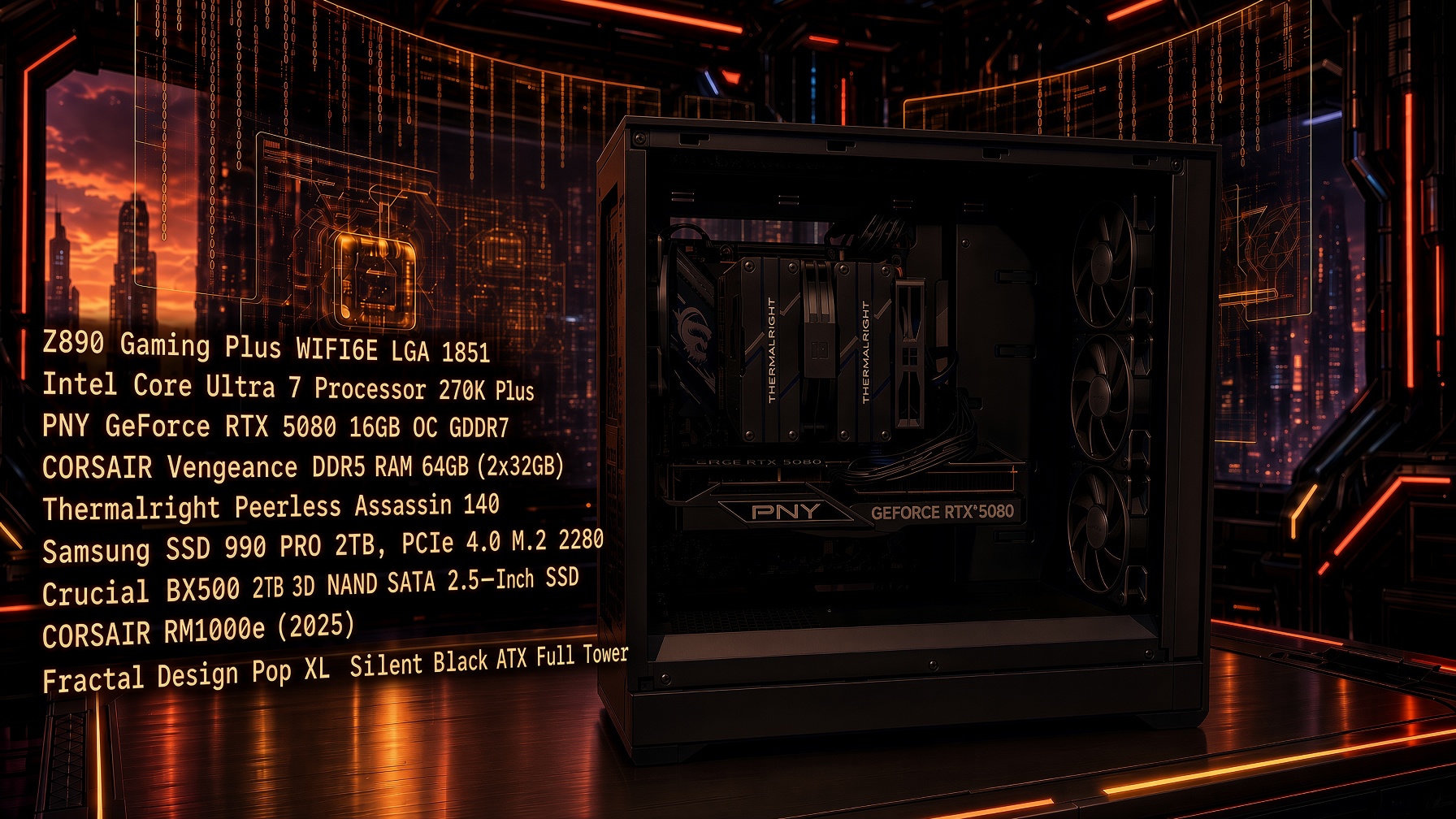
Arrow Lake Specifications
Planning for the build started in mid to early 2026. I was watching hardware trends, and things were not looking good. Waiting for prices to drop might not be a good idea because it looked like things are only going to get worse.
Broadly, there were two things I was certain of -
- Air cooler instead of an AIO
- A full tower with no transparent side panel
An Expensive Day
I was supposed to take my KCNA exam in April. The plan was to order the build after I was done with the exam. That fell through due to unforeseen circumstances, I had to postpone the exam to July 26, 2026. I passed the exam on that day, so I went ahead with ordering the build.
I ordered the build on 7/29/2026. I had to split it between 3 retailers. GPU was available at my local Best Buy, so I ordered it online for a pick up the following day.
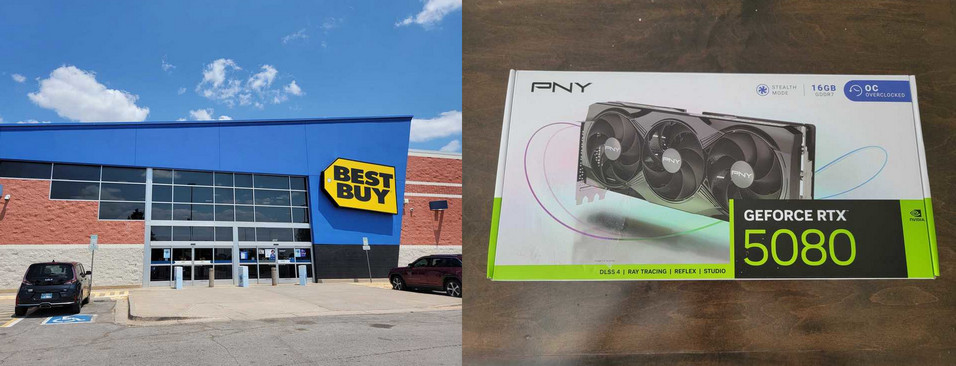
Picked up the GPU at local Best Buy
Ordered the case from NewEgg because shipping was taking way too long with Amazon. I did have to pay for shipping.
Case and the GPU were acquired by August 1, 2026. Getting the rest of the parts from Amazon seemed more of a hassle. I received an email informing that the parts were going to be delivered on August 2, 2026, which was earlier than expected. Later that evening, I received an email indicating that there was an issue with the shipment, and it could take up to August 5, 2026 for the parts to arrive. This was disappointing because I was hoping to build the machine over the weekend.
Fortunately, all the parts arrived on August 3, 2026. We started building the machine after work that day.
Building in Fractal Design Pop XL Full Tower
Building in this case was a good experience. There is plenty of room for the components. Pretty sure this cause would fit Noctua air coolers without any issues. There was plenty of clearance for both the Thermalright Peerless Assassin (140mm fans) and be quiet! Pure Rock Pro 3 (120mm). In addition to this cable management is also easy to accomplish. The case has 4 fans - 3 in the first, and one exhaust in the back. You can daisy chain the first fans such that they only use one fan header on the motherboard.
I will never got back to a mid tower again. This case deserves a lot of credit. It might not look like anything special from the outside, but it excels where it matters - build quality, and ease of use.
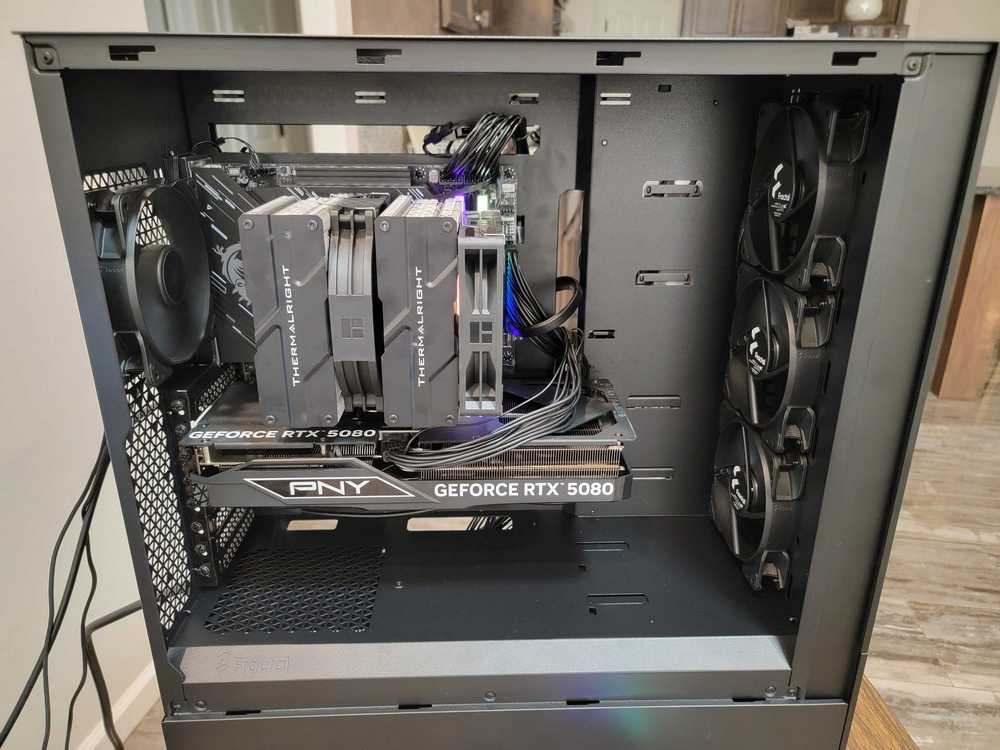
Plenty of room for all the components
GPU clearance was also not an issue this time around. I had to consider this closely for my last build because I was using a mid tower.
For anyone that does not care about RGB and a transparent side panel, this case is a very strong recommendation.
Cooler Troubles
We got the build complete around 10:30PM on the night of August 3, 2026. I ran Prime95, and once it hit 100% load on every core, the temperature soon each 104C, which is the TJ max for the CPU. I did not want to tackle this because I was tired, so I decided to revisit this after work the next day.
The following day, I ran more benchmarks, and also tested real world scenarios. I typically have a Linux VM (for creating content for my blog) and a Windows VM (for work) running when I am playing games. So I powered on both the VMs, and while they were idling, I started Battlefield 6, and much to my surprise, this made the CPU hit TJ max. I know something was not right.
I looked at the orientation of the cooler - the fans were facing downward, and the bottom fan was very close to the GPU plate. I wanted to flip the orientation of the cooler and test it. While I did not think this would be a game changer, it was worth trying before I purchased another cooler.
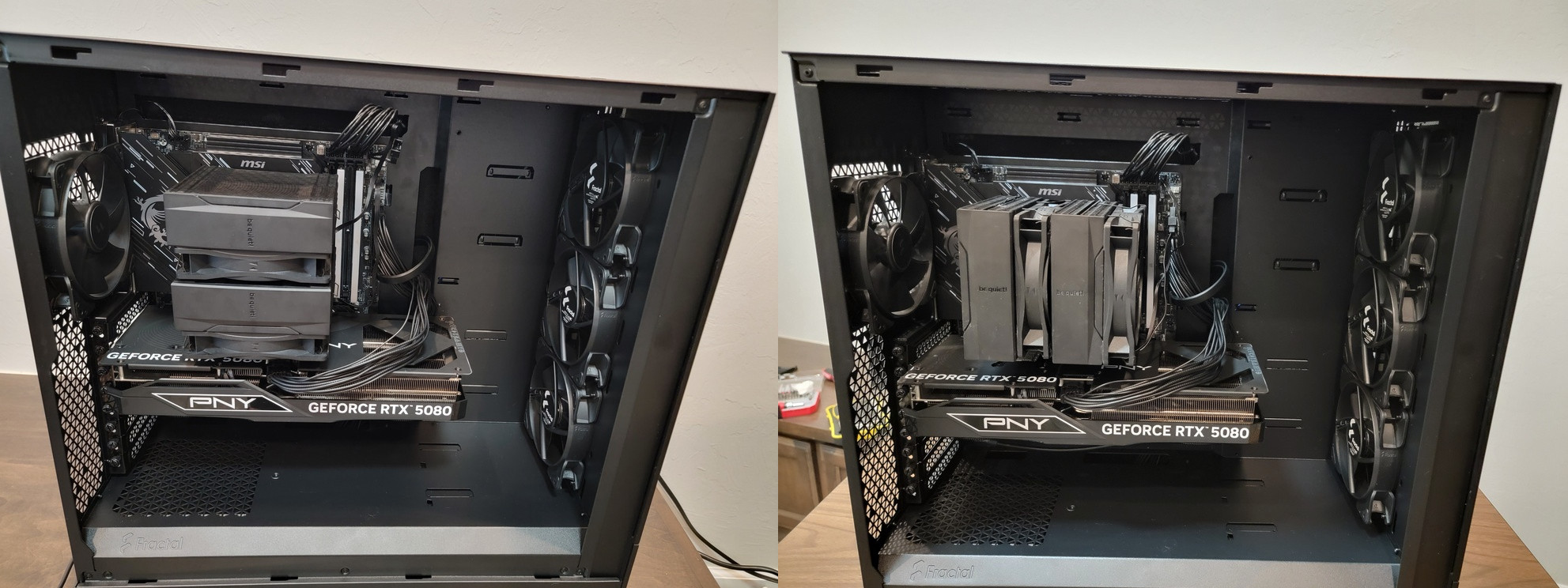
Cooler orientation
As I suspected, this did not make any difference. The performance remained poor under any kind of load. It was evident that the cooler is just not able to keep up with the CPU.
I reached a point where I was getting tired of having to move the PC from one location to another to perform build changes, and testing. So I wanted to get it over with. I decided to buy the Thermalright Peerless Assassin and return the be quiet! Pure Rock Pro 3 Black. I contemplated buying the Thermalright cooler on Amazon. As I was doing that, an idea occurred to me.
I was going to make a trip to downtown Dallas, TX on 8/8/2026 to apply for the commemorative US passport. I decided to go to the Micro Center that is located north of downtown in Dallas to pick up the cooler. This way, I will get to visit Micro Center for the first, and also pickup the cooler and test it that day. The plan was set in motion.
August 8, 2026
The day to make the trip to Dallas was up on us. The details of the trip to Dallas can be found HERE .
After we picked up the passport, we made our way to the Micro Center. It was an interesting experience. Its like a super market for tech with a focus on PC components. As much as I love that this retail store exists, but RAM and GPU are horribly overpriced. Its plainly better to buy them online. We spend some time browsing the store. The keyboard section is very interesting. I wanted to pick up a cheap membrane keyboard, but I decided against it.
Instead I picked up the Noctua NT-H1 thermal compound, and another cheaper thermal compound in case I needed it for my other machines at home. Picking up the Noctua thermal compound was a good decision because I ran out of the one I had at home, so I ended up having to use it.
The total was $75.74. We checked out, and left the store. We stopped at In-N-Out on the way back. It was ~5PM by the time we got back home. We decided to get started on the build right away.
I changed, and picked up the machine from my office and moved it to the dining area. We removed the existing cooler and swapped it with the Thermalright cooler. We encountered an issue with mounting the heat sink, and realized this was due to the orientation of the brackets - I need to rotate them to point inwards.
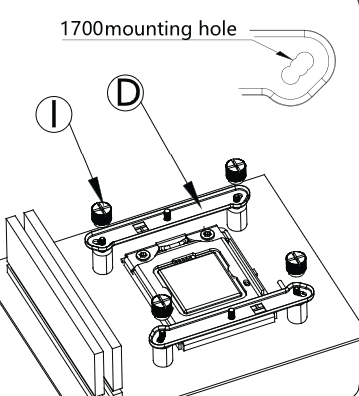
Mounting bracket orientation
After we figured this out, we completed the mounting process. I ran some benchmarks with Prime95 and I could immediately tell the difference in temperatures. At 100% load on every core, the CPU never crossed 100C. In addition to this, I ran the real world workload with the VMs and Battlefield 6, and the temperatures were nowhere near as high as they were with be quiet! Pure Rock Pro 3. In addition to this, after a heavy workload, the idle temperatures return to ~40c quite quickly, where as with the be quiet! cooler, they never dropped to those levels for at least 30 minutes or so.
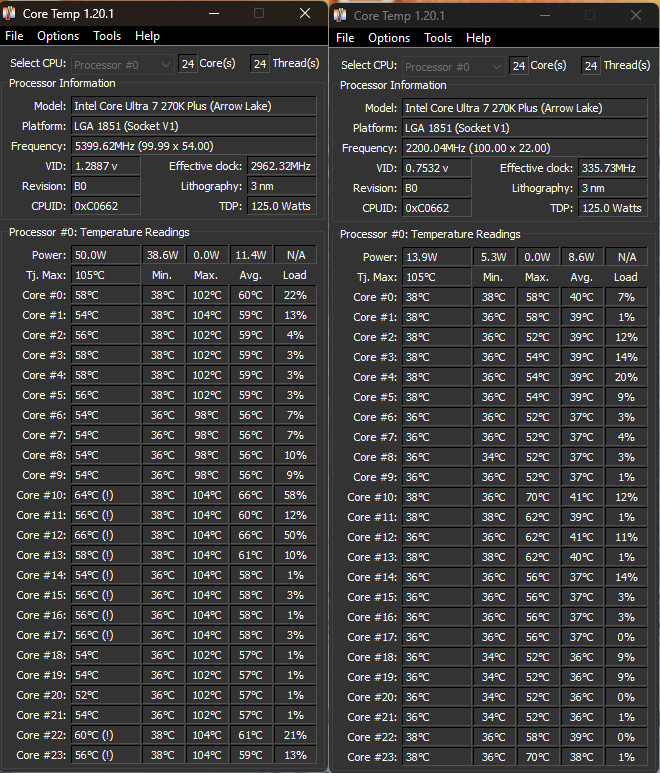
be quiet! Pure Rock Pro 3 vs. Thermalright Peerless Assassin 140
I was quite happy with the switch.
Performance of the build in general is excellent. Special mention goes to the case. Its a no frills case with plenty of room. Thoroughly recommend this. The only issue is that the front panel is solid. I wish it had a mesh to facilitate better airflow.
PNY GeForce RTX 5080
I heard about PNY, but I never purchased their GPUs. EVGA (RIP) was my preferred brand. I switched to MSI for my last build because EVGA was too expensive and hard to get.
I was looking through the specifications for 5080 GPUs that were available on Amazon. I contemplated buying another MSI GPU, because the last one is serving me very well. The cheapest variant of MSI 5080 that I could find was $1349. I wanted the Gaming variant, which was ~$1600. I saw that PNY was more reasonably (relatively speaking) priced at $1,256.99. Turns out PNY is an American company. Nice. I will definitely consider their GPU for my next build in 2032 is PC gaming is still around and AI has not made personal electronics beyond unaffordable.
I like the performance of the GPU so far. Its running every game at over 150FPS on ultra settings. Here is a benchmark of Far Cry 5, which I am currently playing.
Overall, I am quite happy with the purchase of the GPU.
We Live in the Worst of Times
First there was crypto, and now there is AI. The last 8 years have been horrible for PC enthusiasts and there is no end in sight. For the first time in my life, price of components is going up each passing day. The same GPU that I purchased for $1,256.99 on July 29, 2026, is now $1699.99 on Best Buy and $1527.80 on Amazon. Its depressing.
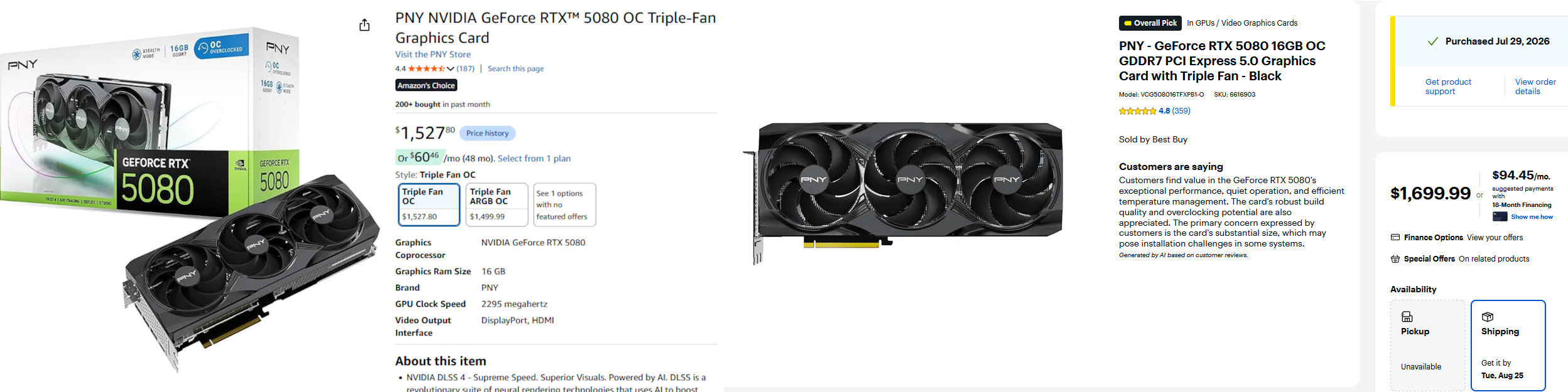
Amazon and BestBuy prices
I built my previous machine in 2022. I purchased the parts between January 6, 2022 and February 9, 2022. I spent a total of $3,555.69. If we are to consider February 9, 2022 as the day 1 for the previous build, and August 8, 2026 as day 1 for the current build, that’s 1642 days (including both days) I used my previous build as my primary machine. Therefore with the current prices, you will have to diligently put away $2.42 each day to be able to afford this build.
There seems to not be an end in sight for this drought. My current plan is to continue using this machine until 2032.
Alder Lake Specifications
This is the previous build from 2022.
| Component | Price | Retailer |
|---|---|---|
| MSI Gaming GeForce RTX 3080 Ti 12GB Gaming X Trio 12G | $1,769.99 | NewEgg |
| MSI SPATIUM Series M.2 2280 1TB PCIe NVMe SSD | $199.99 | NewEgg |
| Intel Core i7-12700K - Alder Lake 12-Core (8P+4E) 3.6 GHz LGA 1700 | $407.80 | NewEgg |
| G.SKILL Ripjaws V Series 64GB (4 x 16GB) 288-Pin DDR4 3200 (PC4 25600) | $243.98 | NewEgg |
| CORSAIR RM850 850 W ATX 80 PLUS GOLD Modular Power Supply | $119.99 | NewEgg |
| MSI PRO Z690-A DDR4 Motherboard (ATX, 12th Gen Intel Core, LGA 1700) | $219.99 | Amazon |
| Crucial BX500 1TB SATA 2.5-Inch Internal SSD | $89.99 | Amazon |
| be quiet! Pure Base 500DX Black, Mid Tower ATX case | $107.89 | Amazon |
| ARCTIC Liquid Freezer II 280 - Black | $103.24 | Amazon |
| ARCTIC Intel LGA1700 Upgrade Kit | $6.64 | Amazon |
| Sales Tax Total | $286.09 | N/A |
| Total | $3,555.69 | N/A |
RAM price in 2026 is just depressing.